Building My Own Canva Over a Weekend
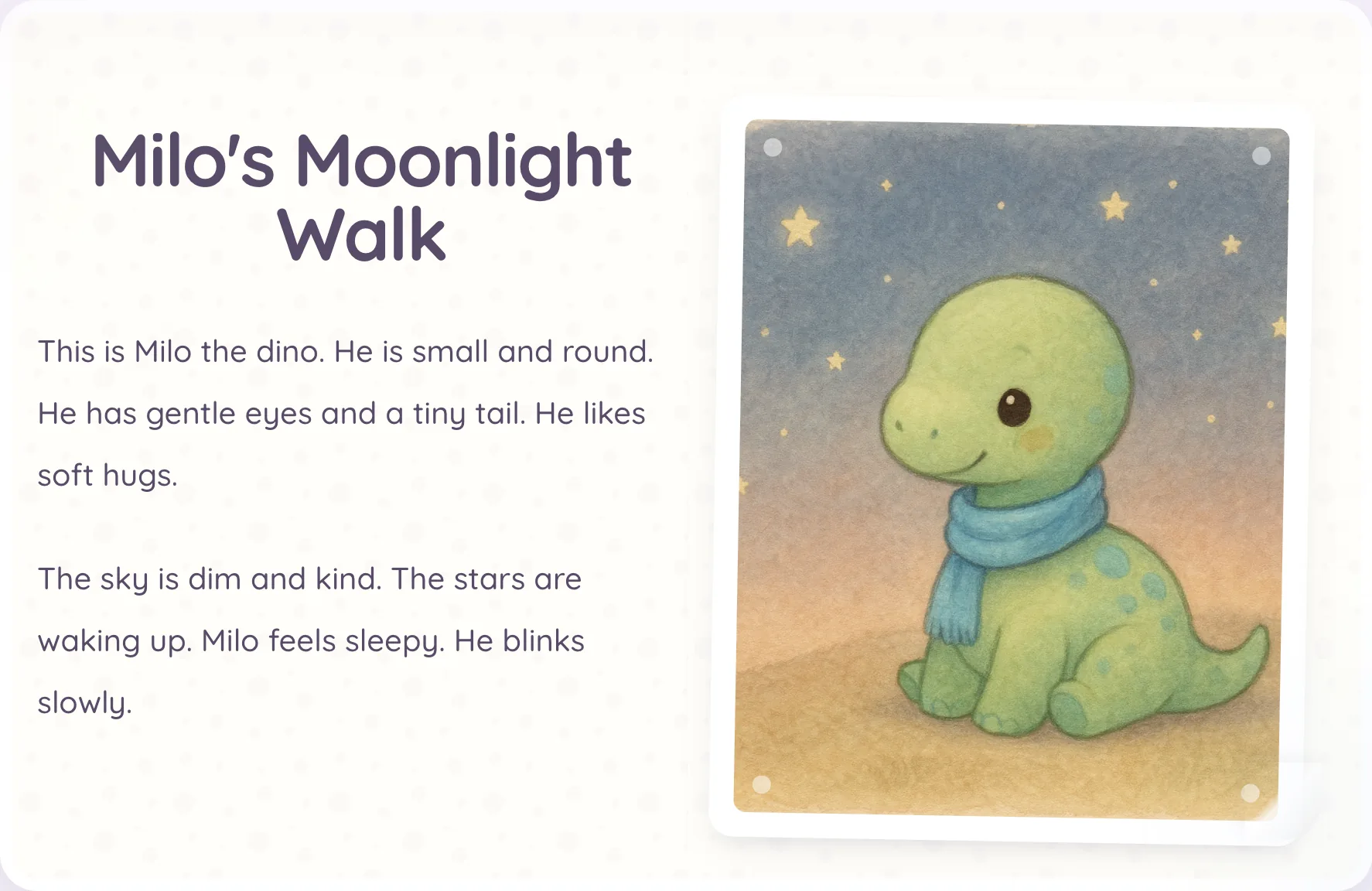
When Google released Gemini 2.5 Flash Image, better known as Nano Banana, I wanted to see how well it could keep characters consistent across a series of generated images. Children’s stories gave me a practical way to test that, so I built a workflow that generates and curates books for toddlers.
Generating the books worked well, but publishing them was still manual. For every finished book, I had to open Canva, assemble the carousel slide by slide, export it, and post it to Instagram. The work was simple, but repetitive.
Why I built instead of buying
I looked at Canva and Bannerbear first. Canva’s private API integration path requires Enterprise access, which I did not have. Bannerbear was a serious contender because it can inject text and images into templates through an API. But my requirements were much narrower: one fixed carousel format, generated from book data that already lived in my Rails app. Adding another platform did not feel justified when I could build the small editor directly inside the workflow I already had.
That is what I did this weekend. I already had an AI-agent orchestration that generates and curates the book content, so the missing piece was a deterministic way to transform each book into an Instagram carousel.
Before writing code, I ran the requirements through two skills I use for product work. The product VP pass turned the initial idea into user stories and edge cases; the architect pass looked for unnecessary complexity and failure paths. Once I had that plan, I moved into implementation with an LLM.
The implementation strategy inside Rails
The implementation stayed narrow. I built the editor as one React component inside my Rails app and mounted it with Stimulus. I could have used a broader SPA pattern such as Inertia, but that would have added infrastructure for a feature with one interactive screen and a small API. I kept the canvas fixed at 1024x1024, which matches the square carousel format I needed, and skipped multi-ratio support for this first iteration.
The editor loads book content through one GET endpoint and saves changes through one POST.
module Internal
  module Api
    class CarouselsController < BaseController
      def show
        render json: { carousel: serialize_carousel(book.carousel) }
      end

      def create
        carousel = book.carousel || book.build_carousel
        carousel.update! data: params.require(:data).permit!

        render json: { carousel: serialize_carousel(carousel) }
      end

      private

      def book
        @book ||= Book.find(params[:book_id])
      end

      def serialize_carousel(carousel)
        return nil unless carousel

        {
          id: carousel.id,
          book_id: carousel.book_id,
          data: carousel.data,
          updated_at: carousel.updated_at.iso8601
        }
      end
    end
  end
end
On the backend, separate services resolve the book source, build the payload, plan the slides, and provide the preset catalog, while the controller stays thin. On the frontend, composition, canvas rendering, keyboard handling, and export packaging live in focused utilities. The carousel record persists editor state as structured JSON behind the GET/POST API keyed by book ID.
The editor starts from an already generated book selected from a dropdown. Since the source assets already exist in the app’s internal folder structure, loading text and images is straightforward. The composition model is deterministic: a cover slide first, then alternating text and image slides for each page, then an ending slide. For a five-page book, that yields a twelve-slide carousel every time. That stable mapping matters because it keeps exports predictable when processing multiple books in sequence.
The generated slide plan and the editor state are stored together in the carousel’s data JSON. This record shows the saved state for one five-page book:
#<Carousel:0x0000000125487878>
{
    "id" => 1,
    "book_id" => 6,
    "data" => {
        "book_id" => 6,
        "settings" => {
            "preset_id" => "dusk-lullaby",
            "cover_text" => "Dino Nori and the Night Garden",
            "ending_text" => "Follow along on instagram",
            "global_font_size" => 68,
            "global_line_height" => 1.45
        },
        "slide_overrides" => {
            "synthetic-cover-text" => {"fontSize" => 95},
            "synthetic-ending-text" => {"fontSize" => 103}
        },
        "selected_slide_id" => "image-page-5"
    },
    "created_at" => 2026-03-01 22:00:09.903421000 UTC +00:00,
    "updated_at" => 2026-03-02 06:33:42.224708000 UTC +00:00
}
The settings object contains the defaults for the whole carousel: the preset, cover and ending copy, font size, and line height. slide_overrides stores the exceptions for individual slides, while selected_slide_id records which slide was selected when the payload was saved.
The generated slide plan also makes two mistakes from the manual Canva workflow harder to introduce: exporting slides in the wrong order and mixing an older slide into a newer carousel. Because the editor derives the sequence and filenames from the current book, I no longer have to remember the order or verify that every slide belongs to the current version.
Editing controls for speed, not design sprawl
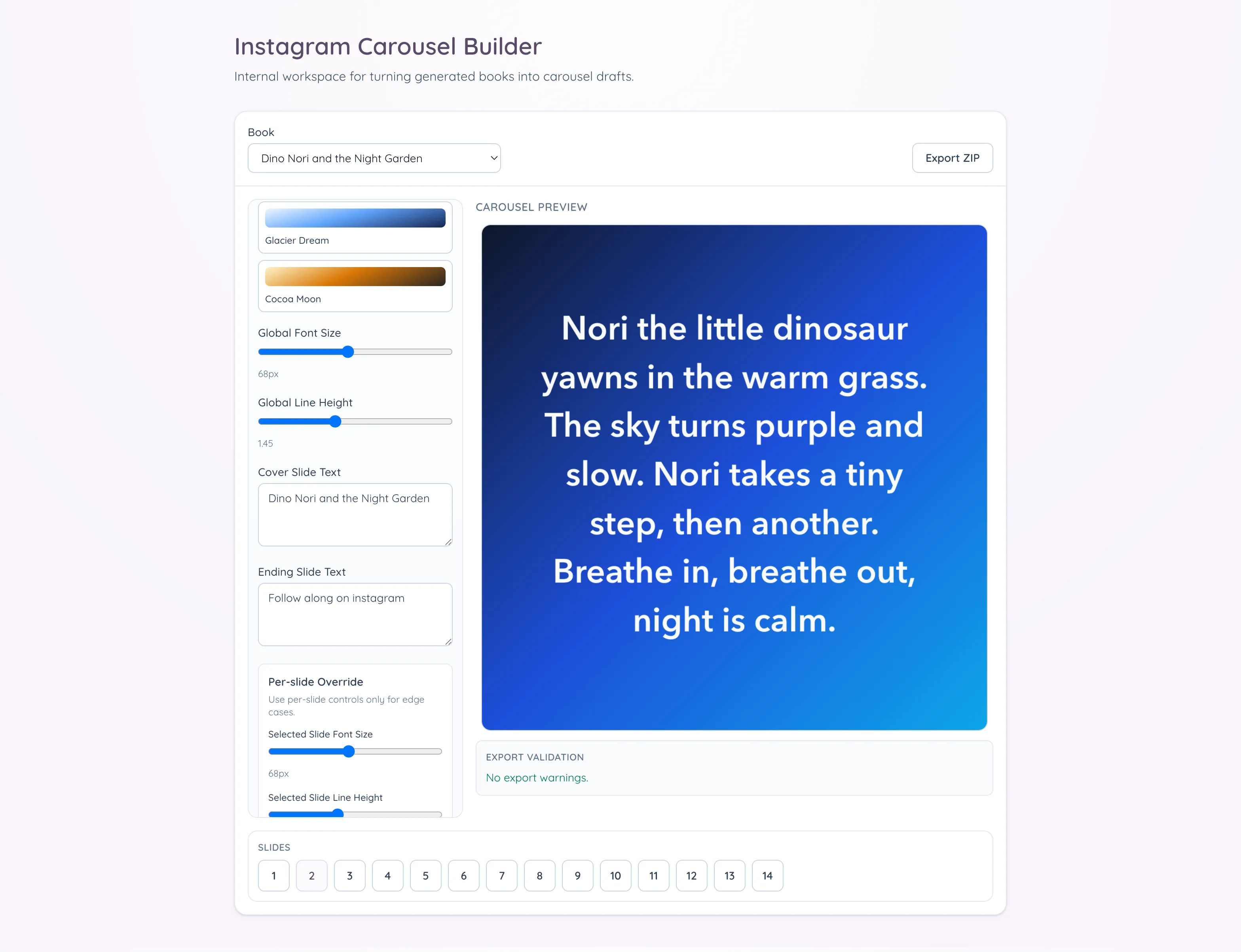
I added lightweight controls, but only the ones that help with speed. Text slides support curated gradient presets, and there are global typography controls for font size and line height. Cover and ending slides are editable, and text can be overridden per slide when needed. Navigation is optimized for quick review, with keyboard arrows and a bottom numeric strip, and arrow navigation is disabled while typing so I do not jump slides accidentally during edits.
What made export trustworthy
Export was the critical path, and my first pass was not reliable. The preview looked fine, but exported slides occasionally had softer text and slight line-wrap drift because export could start before fonts were ready. I fixed that by making preview and export share the same 1024x1024 canvas pipeline, waiting for fonts, using high-quality smoothing, and snapping text positions. Rendering at the final dimensions also removed the blur introduced by upscaling.
The tool now generates a ZIP with PNG slides and an export report JSON in one click. Before export, a validation panel reports missing images and text overflow instead of letting those problems stay silent. For the books I have processed so far, selecting a book, applying any overrides, and downloading the ZIP takes less than two minutes. Editorial review remains separate, but it is now focused on content quality instead of repetitive assembly work.
That review pass is now where I spend my attention on the things that actually matter: whether the story reads naturally across slides, whether line breaks feel clean on small screens, whether image framing still supports the text, and whether the cover and ending slides match the tone I want for that post. In other words, the judgment-heavy part remains manual by design, while the mechanical part is automated. That split is exactly what I wanted from this tool.

Why this remains narrow
My next step is replacing the permissive JSON payload with an explicit schema and stronger validation for saving and resuming edits. Beyond that, I want to keep the editor specific to publishing these children’s books as Instagram carousels. It handles the repetitive assembly I was doing in Canva, while the editorial decisions remain mine.